19 KiB
| comments | description |
|---|---|
| true | API reference for supervision's annotator classes — draw bounding boxes, masks, labels, tracks, and heatmaps on images with one method call. |
Annotators
Annotators accept detections and apply box or mask visualizations to the detections. Annotators have many available styles.
=== "Outlines"
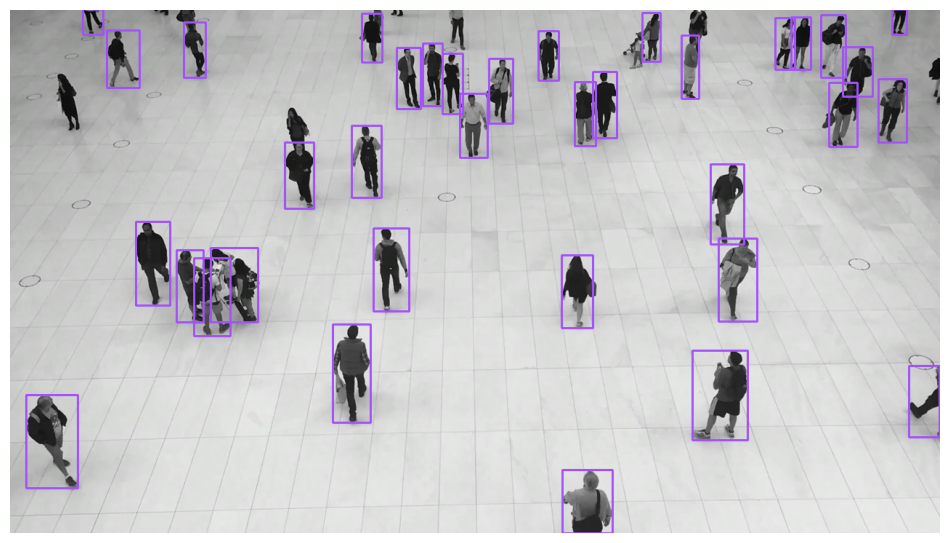
=== "Box"
```python
import supervision as sv
image = ...
detections = sv.Detections(...)
box_annotator = sv.BoxAnnotator()
annotated_frame = box_annotator.annotate(
scene=image.copy(),
detections=detections,
)
```
<div class="result" markdown>
{ align=center width="800" }
</div>
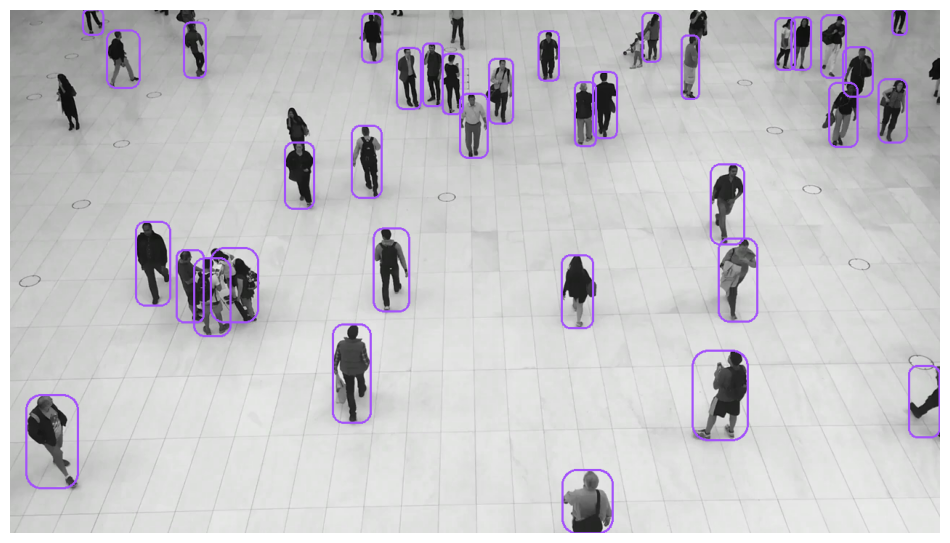
=== "RoundBox"
```python
import supervision as sv
image = ...
detections = sv.Detections(...)
round_box_annotator = sv.RoundBoxAnnotator()
annotated_frame = round_box_annotator.annotate(
scene=image.copy(),
detections=detections,
)
```
<div class="result" markdown>
{ align=center width="800" }
</div>
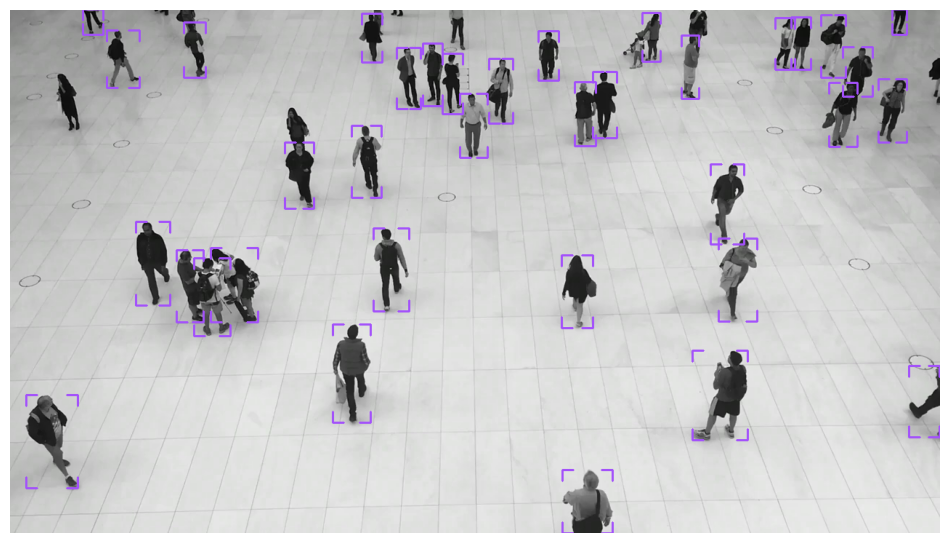
=== "BoxCorner"
```python
import supervision as sv
image = ...
detections = sv.Detections(...)
corner_annotator = sv.BoxCornerAnnotator()
annotated_frame = corner_annotator.annotate(
scene=image.copy(),
detections=detections,
)
```
<div class="result" markdown>
{ align=center width="800" }
</div>
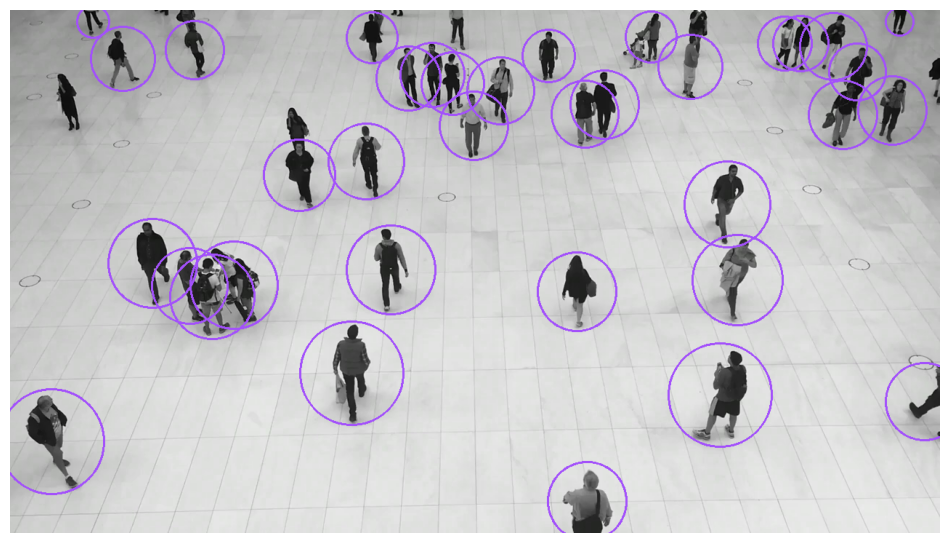
=== "Circle"
```python
import supervision as sv
image = ...
detections = sv.Detections(...)
circle_annotator = sv.CircleAnnotator()
annotated_frame = circle_annotator.annotate(
scene=image.copy(),
detections=detections,
)
```
<div class="result" markdown>
{ align=center width="800" }
</div>
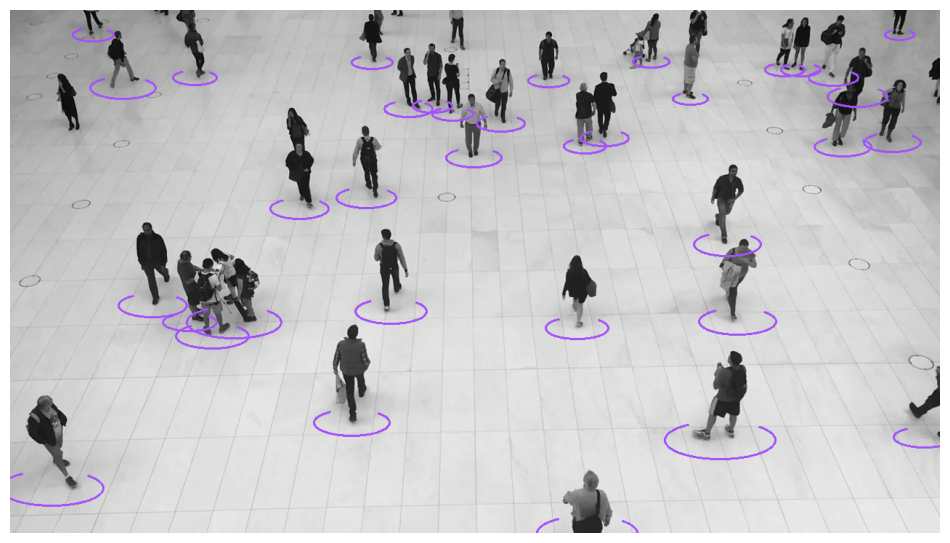
=== "Ellipse"
```python
import supervision as sv
image = ...
detections = sv.Detections(...)
ellipse_annotator = sv.EllipseAnnotator()
annotated_frame = ellipse_annotator.annotate(
scene=image.copy(),
detections=detections,
)
```
<div class="result" markdown>
{ align=center width="800" }
</div>
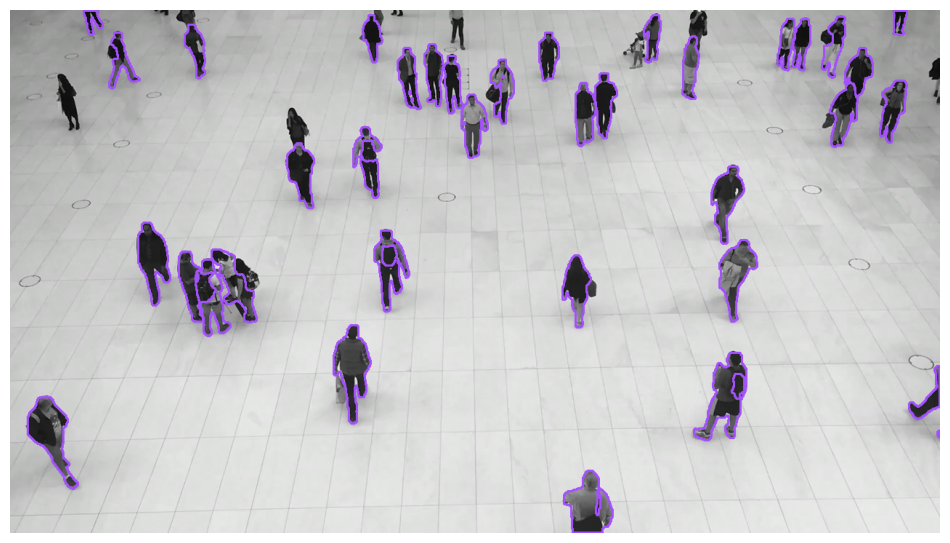
=== "Polygon"
```python
import supervision as sv
image = ...
detections = sv.Detections(...)
polygon_annotator = sv.PolygonAnnotator()
annotated_frame = polygon_annotator.annotate(
scene=image.copy(),
detections=detections,
)
```
<div class="result" markdown>
{ align=center width="800" }
</div>
=== "Shading"
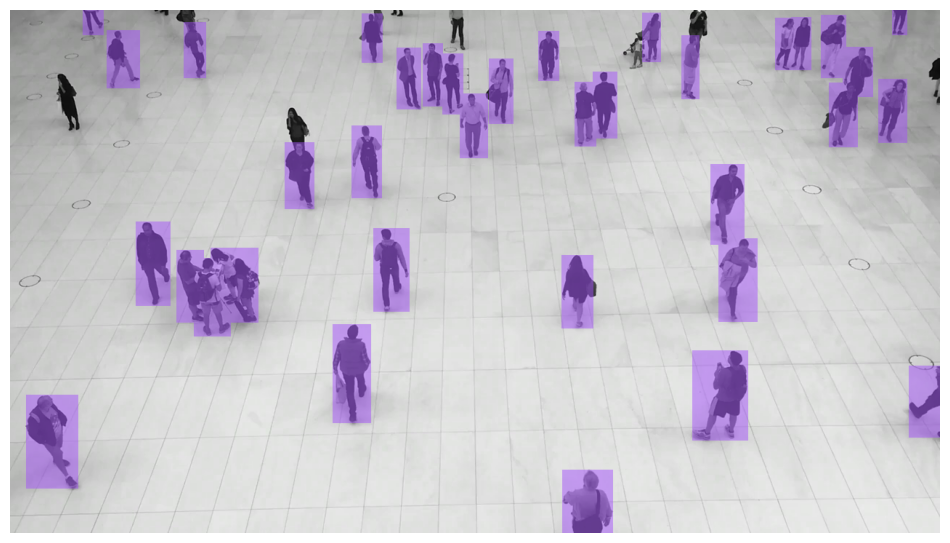
=== "Color"
```python
import supervision as sv
image = ...
detections = sv.Detections(...)
color_annotator = sv.ColorAnnotator()
annotated_frame = color_annotator.annotate(
scene=image.copy(),
detections=detections,
)
```
<div class="result" markdown>
{ align=center width="800" }
</div>
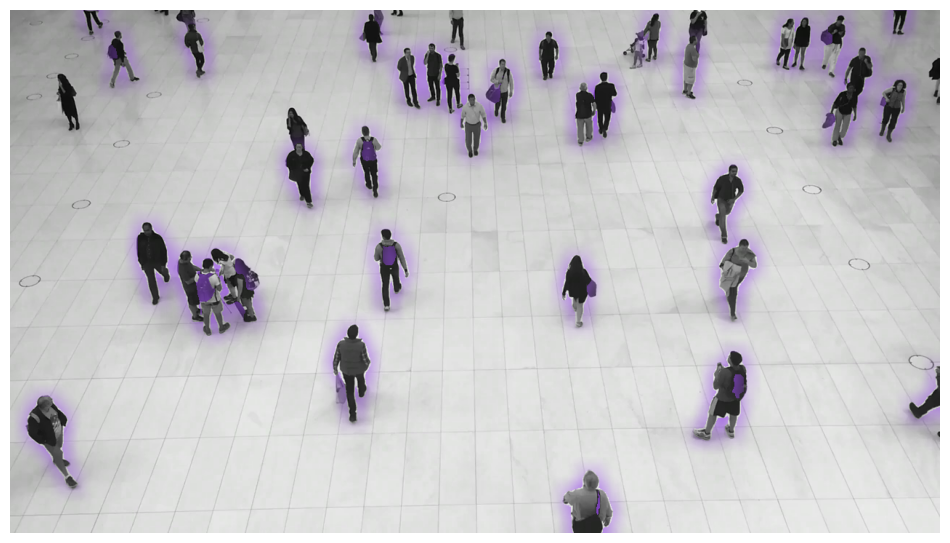
=== "Halo"
```python
import supervision as sv
image = ...
detections = sv.Detections(...)
halo_annotator = sv.HaloAnnotator()
annotated_frame = halo_annotator.annotate(
scene=image.copy(),
detections=detections,
)
```
<div class="result" markdown>
{ align=center width="800" }
</div>
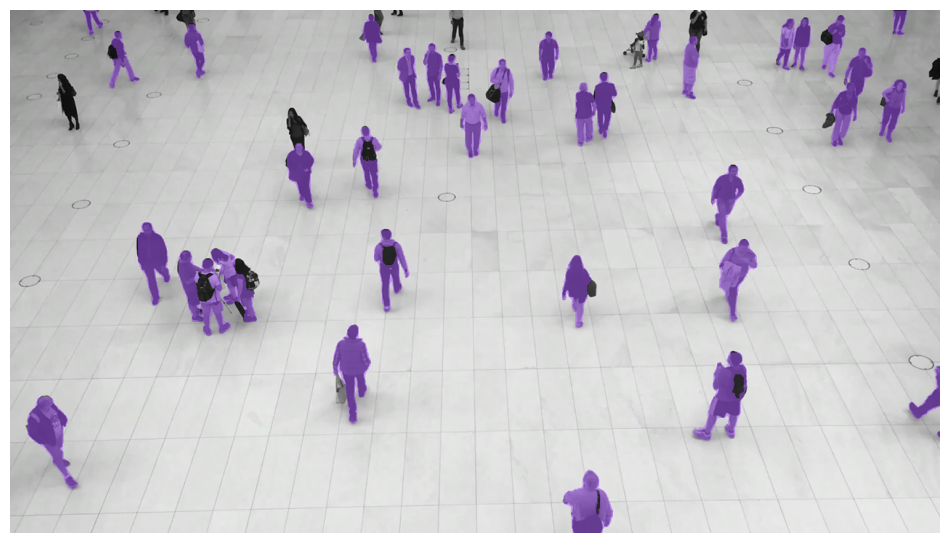
=== "Mask"
```python
import supervision as sv
image = ...
detections = sv.Detections(...)
mask_annotator = sv.MaskAnnotator()
annotated_frame = mask_annotator.annotate(
scene=image.copy(),
detections=detections,
)
```
!!! note
`MaskAnnotator` expects `detections.mask` to contain instance segmentation masks aligned to the image passed to `annotate`. For dense masks, provide a boolean array of shape `(N, H, W)` where `(H, W)` matches the image height and width (it also accepts `sv.CompactMask`). If your model returns framework-specific results, convert them to `sv.Detections` first, for example with `sv.Detections.from_ultralytics(...)` or `sv.Detections.from_inference(...)`.
<div class="result" markdown>
{ align=center width="800" }
</div>
=== "Markers"
=== "Dot"
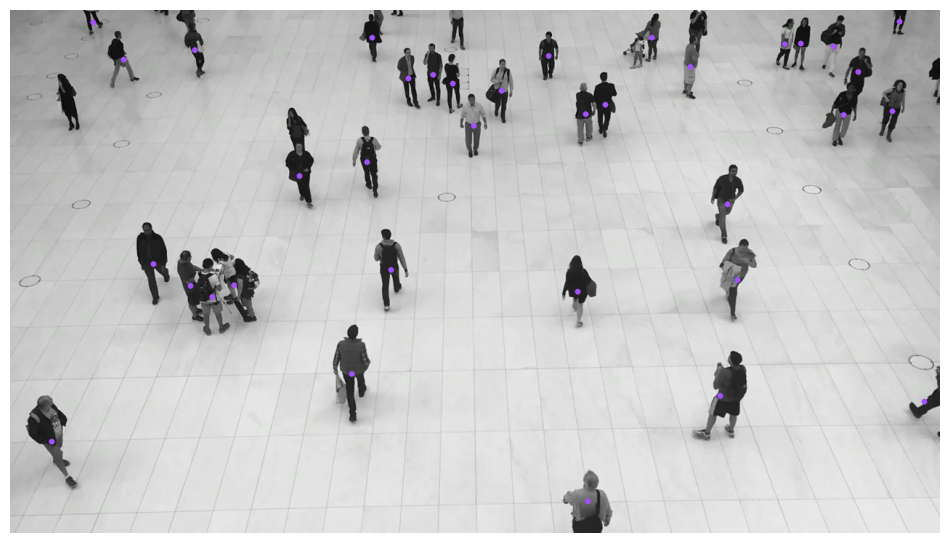
```python
import supervision as sv
image = ...
detections = sv.Detections(...)
dot_annotator = sv.DotAnnotator()
annotated_frame = dot_annotator.annotate(
scene=image.copy(),
detections=detections,
)
```
<div class="result" markdown>
{ align=center width="800" }
</div>
=== "Triangle"
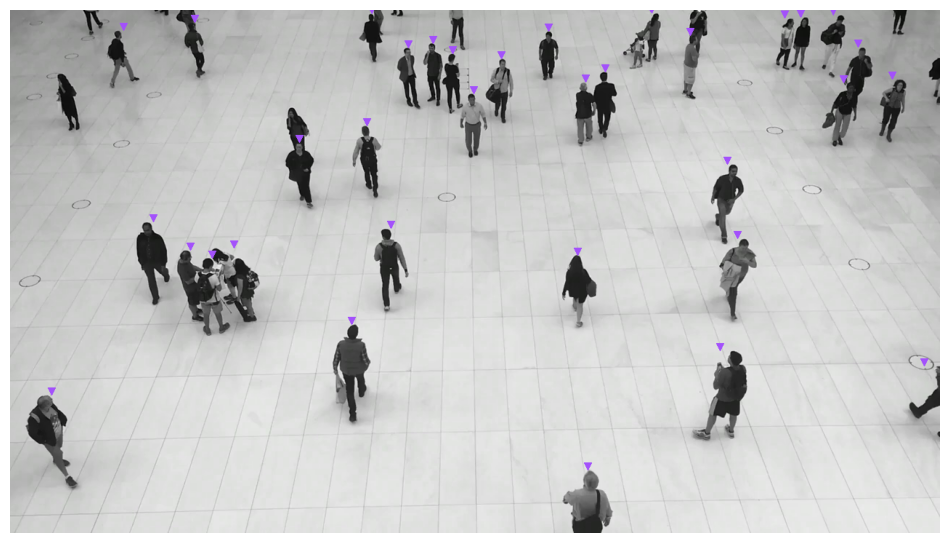
```python
import supervision as sv
image = ...
detections = sv.Detections(...)
triangle_annotator = sv.TriangleAnnotator()
annotated_frame = triangle_annotator.annotate(
scene=image.copy(),
detections=detections,
)
```
<div class="result" markdown>
{ align=center width="800" }
</div>
=== "Labels"
=== "Label"
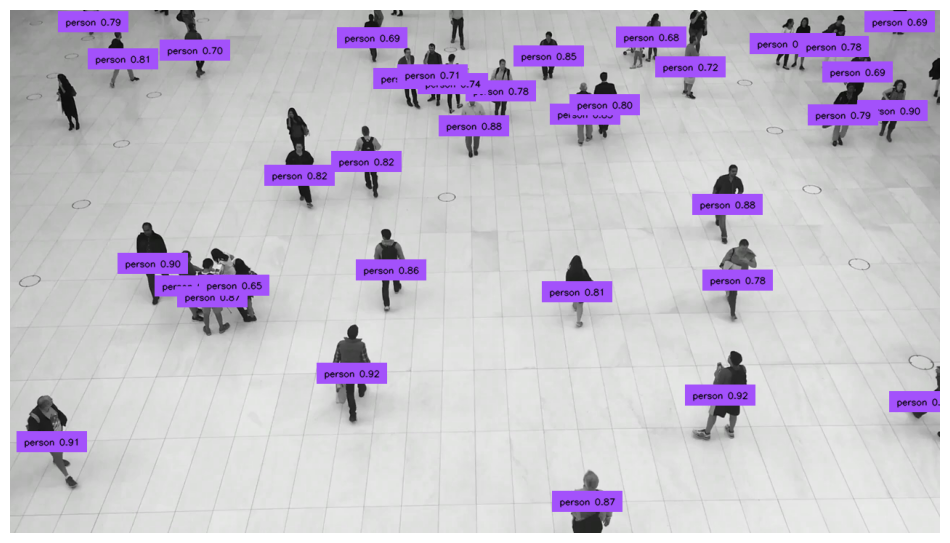
```python
import supervision as sv
image = ...
detections = sv.Detections(...)
labels = [
f"{class_name} {confidence:.2f}"
for class_name, confidence in zip(
detections["class_name"],
detections.confidence,
)
]
label_annotator = sv.LabelAnnotator(text_position=sv.Position.CENTER)
annotated_frame = label_annotator.annotate(
scene=image.copy(), detections=detections, labels=labels
)
```
<div class="result" markdown>
{ align=center width="800" }
</div>
=== "RichLabel"
```python
import supervision as sv
image = ...
detections = sv.Detections(...)
labels = [
f"{class_name} {confidence:.2f}"
for class_name, confidence in zip(
detections["class_name"],
detections.confidence,
)
]
rich_label_annotator = sv.RichLabelAnnotator(
font_path="TTF_FONT_PATH",
text_position=sv.Position.CENTER,
)
annotated_frame = rich_label_annotator.annotate(
scene=image.copy(),
detections=detections,
labels=labels,
)
```
<div class="result" markdown>
{ align=center width="800" }
</div>
=== "Transformative"
=== "Blur"
```python
import supervision as sv
image = ...
detections = sv.Detections(...)
blur_annotator = sv.BlurAnnotator()
annotated_frame = blur_annotator.annotate(
scene=image.copy(),
detections=detections,
)
```
<div class="result" markdown>
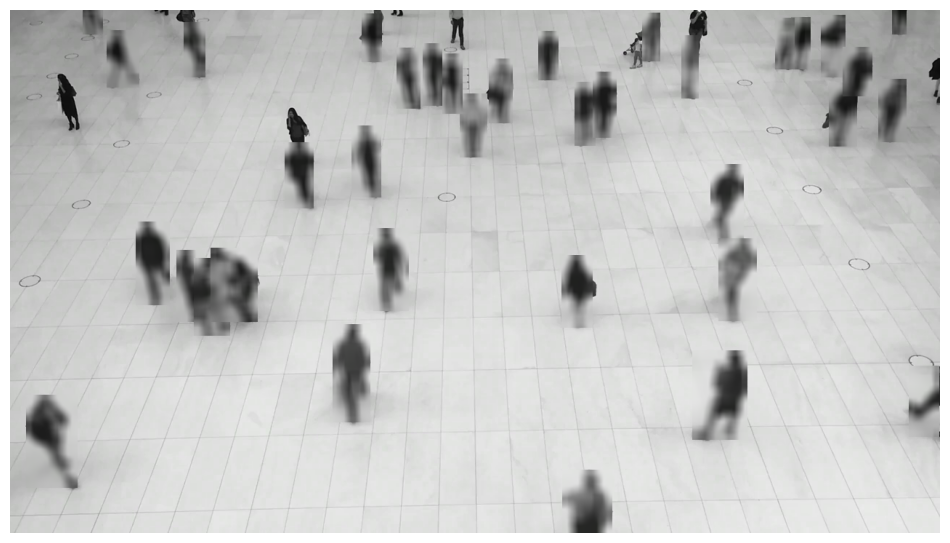{ align=center width="800" }
</div>
=== "Pixelate"
```python
import supervision as sv
image = ...
detections = sv.Detections(...)
pixelate_annotator = sv.PixelateAnnotator()
annotated_frame = pixelate_annotator.annotate(
scene=image.copy(),
detections=detections,
)
```
<div class="result" markdown>
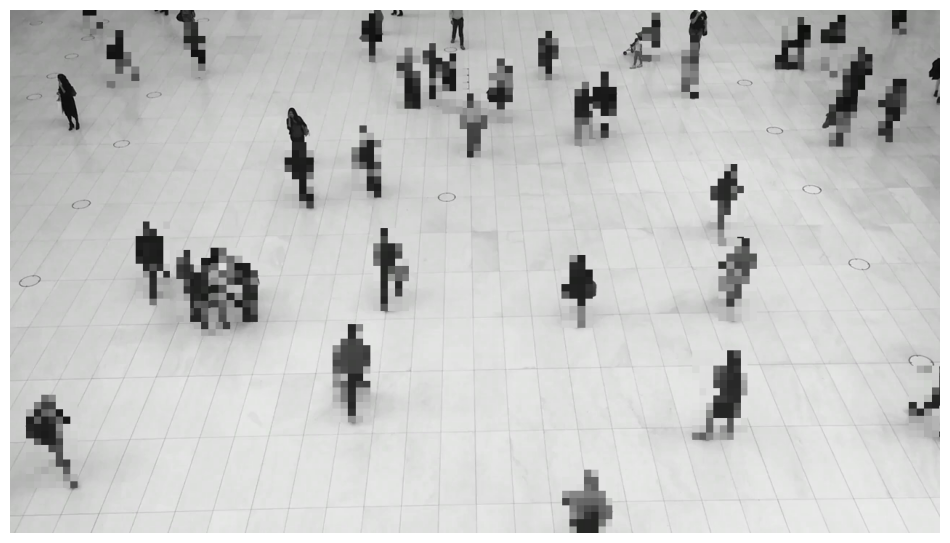{ align=center width="800" }
</div>
<!-- === "Crop"
```python
import supervision as sv
image = ...
detections = sv.Detections(...)
crop_annotator = sv.CropAnnotator()
annotated_frame = crop_annotator.annotate(
scene=image.copy(),
detections=detections,
)
```
<div class="result" markdown>
{ align=center width="800" }
</div>
-->
=== "Tracking & Aggregation"
=== "Trace"
```python
import supervision as sv
from ultralytics import YOLO
model = YOLO("yolov8x.pt")
trace_annotator = sv.TraceAnnotator()
video_info = sv.VideoInfo.from_video_path(video_path="...")
frames_generator = sv.get_video_frames_generator(source_path="...")
tracker = sv.ByteTrack()
with sv.VideoSink(target_path="...", video_info=video_info) as sink:
for frame in frames_generator:
result = model(frame)[0]
detections = sv.Detections.from_ultralytics(result)
detections = tracker.update_with_detections(detections)
annotated_frame = trace_annotator.annotate(
scene=frame.copy(),
detections=detections,
)
sink.write_frame(frame=annotated_frame)
```
<div class="result" markdown>
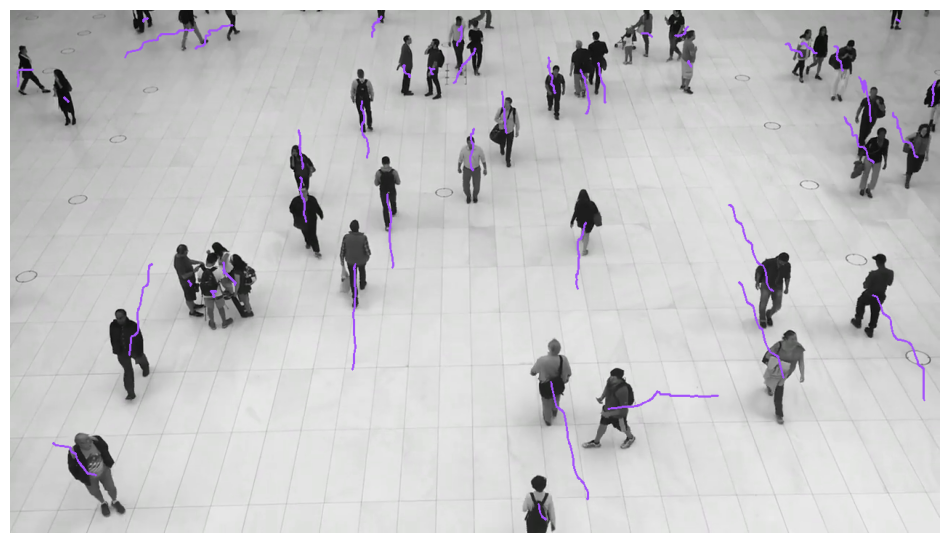{ align=center width="800" }
</div>
=== "HeatMap"
```python
import supervision as sv
from ultralytics import YOLO
model = YOLO("yolov8x.pt")
heat_map_annotator = sv.HeatMapAnnotator()
video_info = sv.VideoInfo.from_video_path(video_path="...")
frames_generator = sv.get_video_frames_generator(source_path="...")
with sv.VideoSink(target_path="...", video_info=video_info) as sink:
for frame in frames_generator:
result = model(frame)[0]
detections = sv.Detections.from_ultralytics(result)
annotated_frame = heat_map_annotator.annotate(
scene=frame.copy(),
detections=detections,
)
sink.write_frame(frame=annotated_frame)
```
<div class="result" markdown>
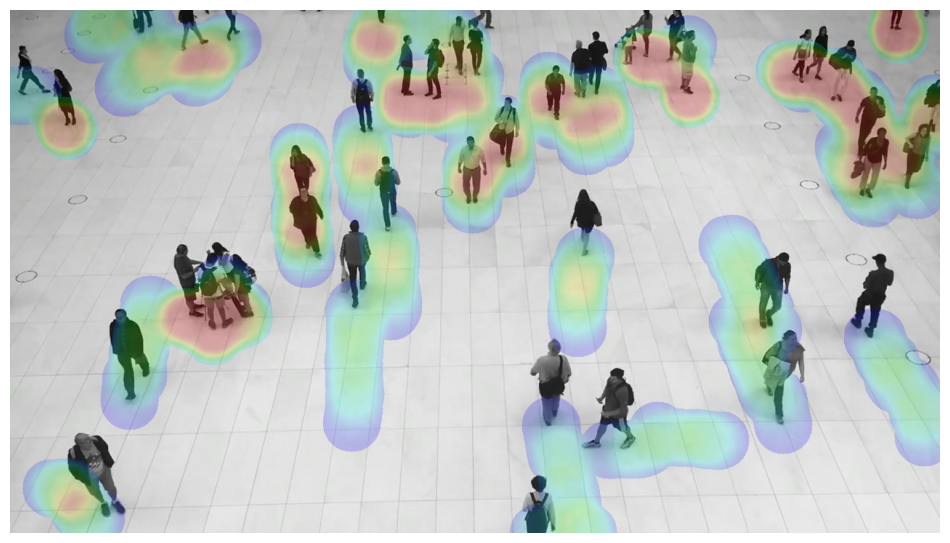{ align=center width="800" }
</div>
=== "Others"
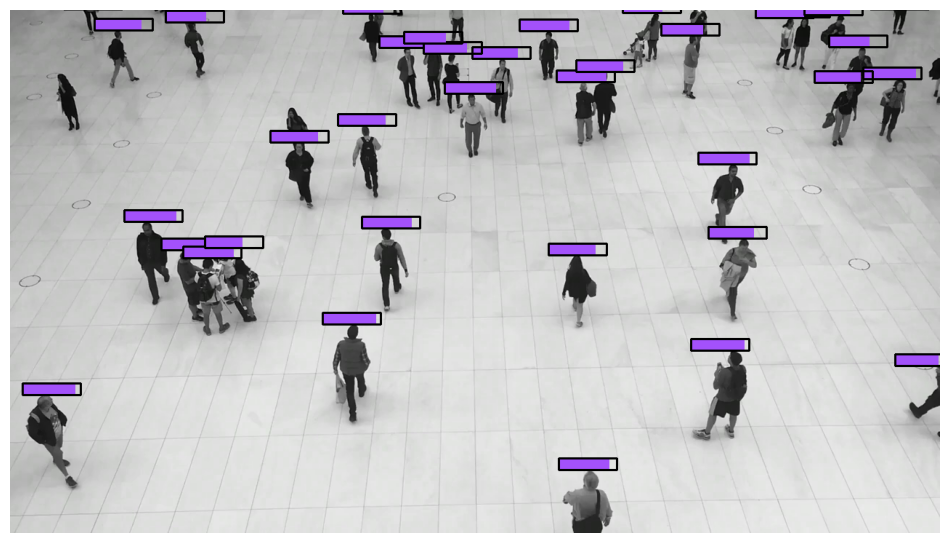
=== "PercentageBar"
```python
import supervision as sv
image = ...
detections = sv.Detections(...)
percentage_bar_annotator = sv.PercentageBarAnnotator()
annotated_frame = percentage_bar_annotator.annotate(
scene=image.copy(),
detections=detections,
)
```
<div class="result" markdown>
{ align=center width="800" }
</div>
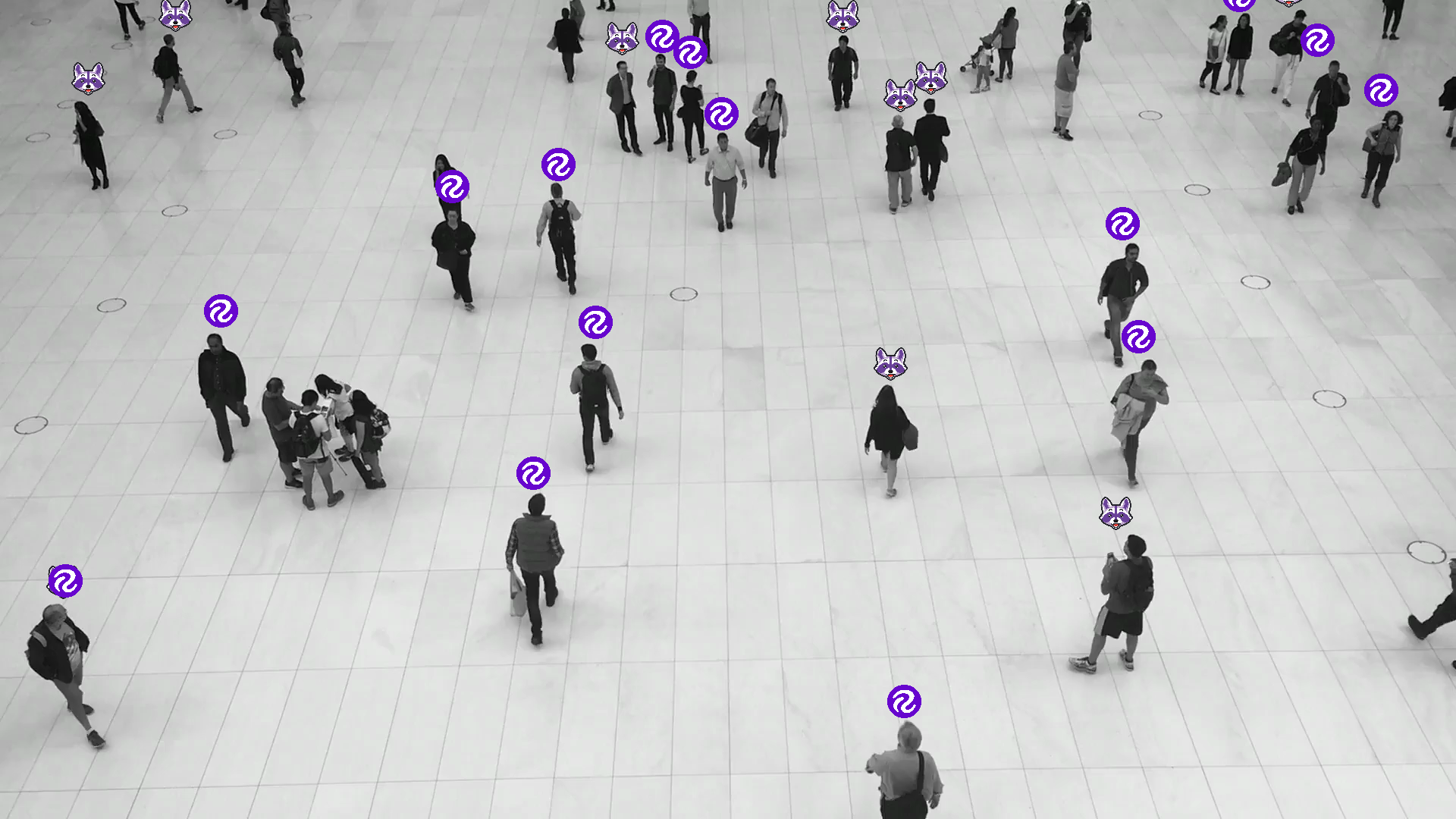
=== "Icon"
```python
import supervision as sv
image = ...
detections = sv.Detections(...)
icon_paths = ["<ICON_PATH>" for _ in detections]
icon_annotator = sv.IconAnnotator()
annotated_frame = icon_annotator.annotate(
scene=image.copy(),
detections=detections,
icon_path=icon_paths,
)
```
<div class="result" markdown>
{ align=center width="800" }
</div>
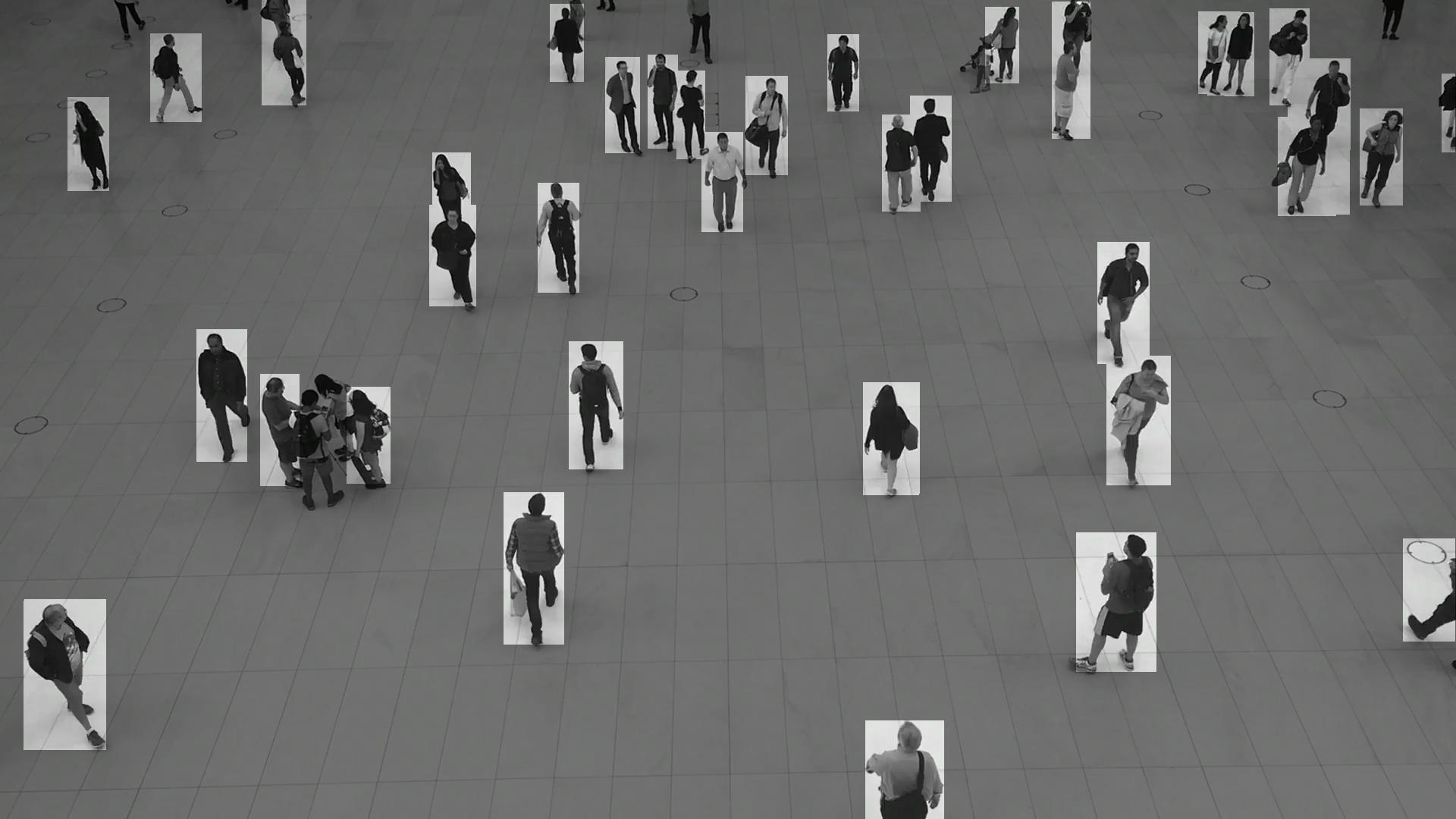
=== "Background Color"
```python
import supervision as sv
image = ...
detections = sv.Detections(...)
background_overlay_annotator = sv.BackgroundOverlayAnnotator()
annotated_frame = background_overlay_annotator.annotate(
scene=image.copy(),
detections=detections,
)
```
<div class="result" markdown>
{ align=center width="800" }
</div>
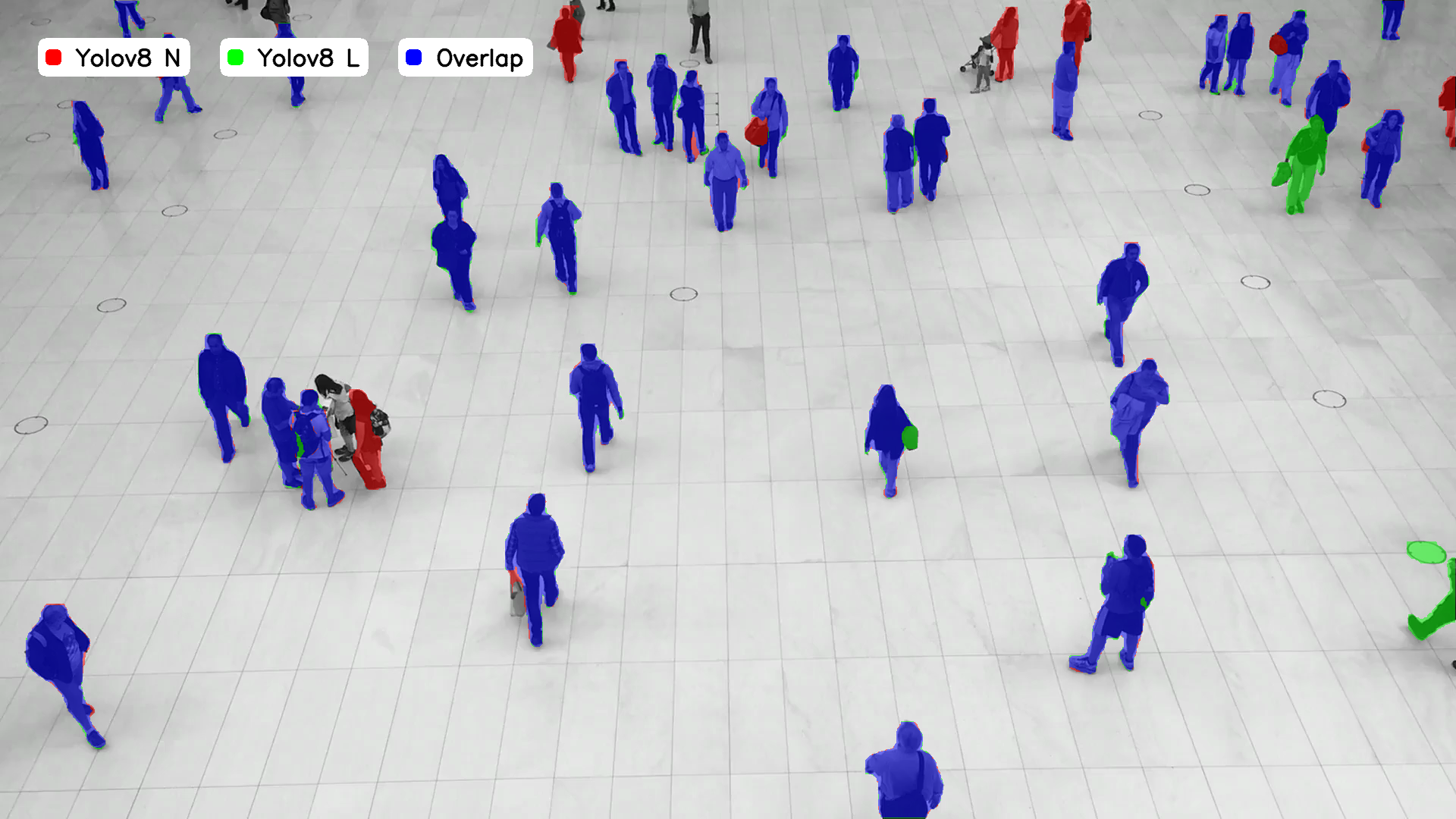
=== "Comparison"
```python
import supervision as sv
image = ...
detections_1 = sv.Detections(...)
detections_2 = sv.Detections(...)
comparison_annotator = sv.ComparisonAnnotator()
annotated_frame = comparison_annotator.annotate(
scene=image.copy(),
detections_1=detections_1,
detections_2=detections_2,
)
```
<div class="result" markdown>
{ align=center width="800" }
</div>
Try Supervision Annotators on your own image
Visualize annotators on images with COCO classes such as people, vehicles, animals, household items.:::supervision.annotators.core.BoxAnnotator
:::supervision.annotators.core.RoundBoxAnnotator
:::supervision.annotators.core.BoxCornerAnnotator
:::supervision.annotators.core.OrientedBoxAnnotator
:::supervision.annotators.core.ColorAnnotator
:::supervision.annotators.core.CircleAnnotator
:::supervision.annotators.core.DotAnnotator
:::supervision.annotators.core.TriangleAnnotator
:::supervision.annotators.core.EllipseAnnotator
:::supervision.annotators.core.HaloAnnotator
:::supervision.annotators.core.PercentageBarAnnotator
:::supervision.annotators.core.HeatMapAnnotator
:::supervision.annotators.core.MaskAnnotator
:::supervision.annotators.core.PolygonAnnotator
:::supervision.annotators.core.LabelAnnotator
:::supervision.annotators.core.RichLabelAnnotator
:::supervision.annotators.core.IconAnnotator
:::supervision.annotators.core.BlurAnnotator
:::supervision.annotators.core.PixelateAnnotator
:::supervision.annotators.core.TraceAnnotator
:::supervision.annotators.core.CropAnnotator
:::supervision.annotators.core.BackgroundOverlayAnnotator
:::supervision.annotators.core.ComparisonAnnotator
:::supervision.annotators.utils.ColorLookup