5.6 KiB
| comments |
|---|
| true |
Detect and Annotate
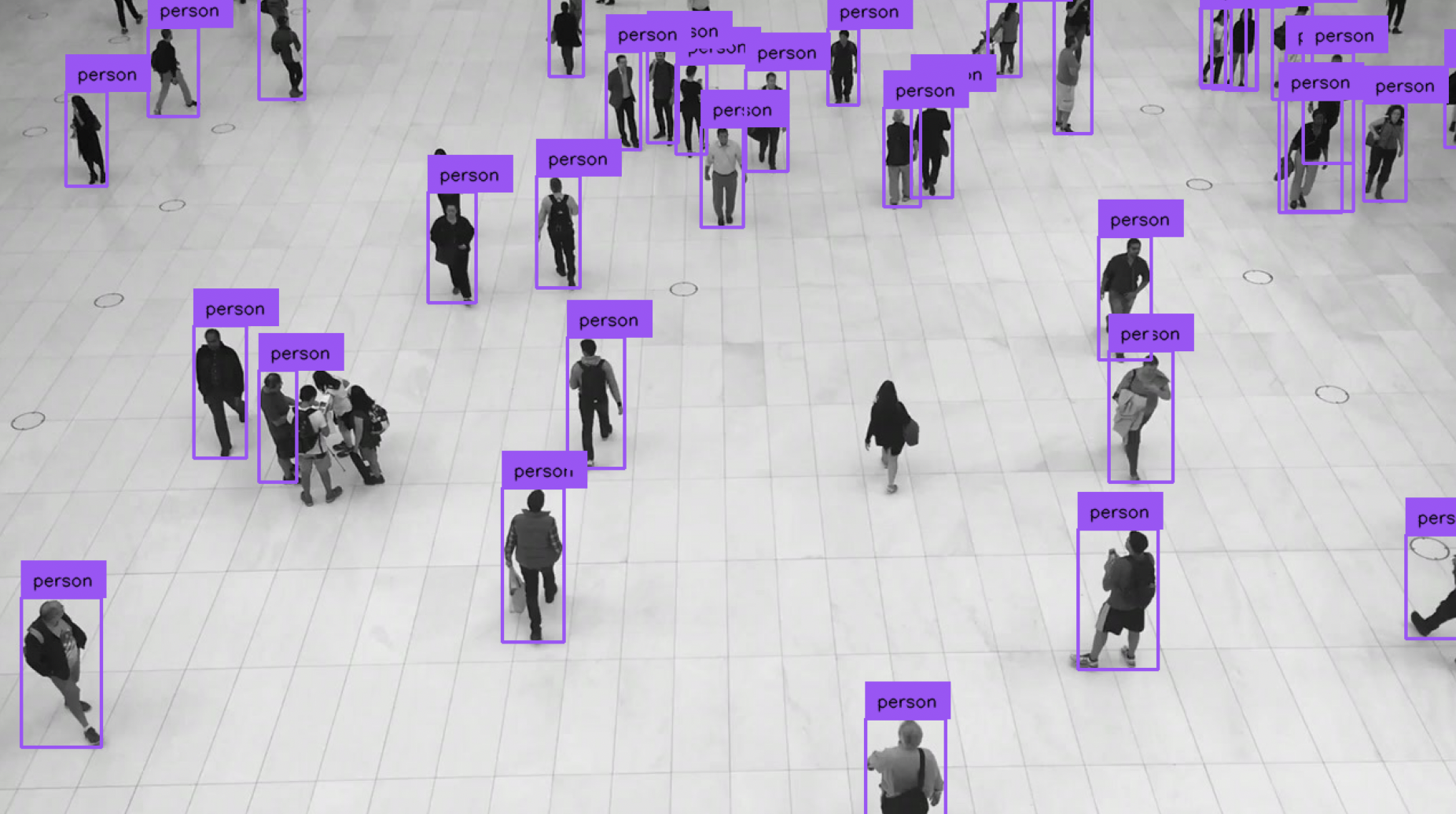
Supervision offers a streamlined solution to effortlessly annotate predictions from a range of object detection and segmentation models. This guide demonstrates how to execute inference using the YOLOv8 model with either the Inference or Ultralytics packages. Following this, you'll learn how to import these predictions into Supervision for image annotation purposes.
Run Inference
First, you'll need to obtain predictions from your object detection or segmentation model.
=== "Ultralytics"
```python
import cv2
from ultralytics import YOLO

model = YOLO("yolov8n.pt")
image = cv2.imread(<PATH TO IMAGE>)
results = model(image)[0]
```
=== "Inference"
```python
import cv2
from inference.models.utils import get_roboflow_model

model = get_roboflow_model(model_id="yolov8n-640", api_key=<ROBOFLOW API KEY>)
image = cv2.imread(<PATH TO IMAGE>)
results = model.infer(image)[0]
```
Load Predictions into Supervision
Now that we have predictions from a model, we can load them into Supervision.
=== "Ultralytics"
We can do so using the [`sv.Detections.from_ultralytics`](detection/core/#supervision.detection.core.Detections.from_ultralytics) method, which accepts model results from both detection and segmentation models.

```python
import cv2
import supervision as sv
from ultralytics import YOLO

model = YOLO("yolov8n.pt")
image = cv2.imread(<PATH TO IMAGE>)
results = model(image)[0]
detections = sv.Detections.from_ultralytics(results)
```
=== "Inference"
We can do so using the [`sv.Detections.from_inference`](detection/core/#supervision.detection.core.Detections.from_inference) method, which accepts model results from both detection and segmentation models.

```python
import cv2
import supervision as sv
from inference.models.utils import get_roboflow_model

model = get_roboflow_model(model_id="yolov8n-640", api_key=<ROBOFLOW API KEY>
image = cv2.imread(<PATH TO IMAGE>)
results = model.infer(image)[0]
detections = sv.Detections.from_inference(results)
```
You can conveniently load predictions from other computer vision frameworks and libraries using:
from_deepsparse(Deepsparse)from_detectron2(Detectron2)from_mmdetection(MMDetection)from_inference(Roboflow Inference)from_sam(Segment Anything Model)from_transformers(HuggingFace Transformers)from_yolo_nas(YOLO-NAS)
Annotate Image
Finally, we can annotate the image with the predictions. Since we are working with an object detection model, we will use the sv.BoundingBoxAnnotator and sv.LabelAnnotator classes. If you are running the segmentation model sv.MaskAnnotator is a drop-in replacement for sv.BoundingBoxAnnotator that will allow you to draw masks instead of boxes.
=== "Ultralytics"
```python
import cv2
import supervision as sv
from ultralytics import YOLO

model = YOLO("yolov8n.pt")
image = cv2.imread(<PATH TO IMAGE>)
results = model(image)[0]
detections = sv.Detections.from_ultralytics(results)

bounding_box_annotator = sv.BoundingBoxAnnotator()
label_annotator = sv.LabelAnnotator()

labels = [
    model.model.names[class_id]
    for class_id
    in detections.class_id
]

annotated_image = bounding_box_annotator.annotate(
    scene=image, detections=detections)
annotated_image = label_annotator.annotate(
    scene=annotated_image, detections=detections, labels=labels)
```
=== "Inference"
```python
import cv2
import supervision as sv
from inference.models.utils import get_roboflow_model

model = get_roboflow_model(model_id="yolov8n-640", api_key=<ROBOFLOW API KEY>
image = cv2.imread(<PATH TO IMAGE>)
results = model.infer(image)[0]
detections = sv.Detections.from_inference(results)

bounding_box_annotator = sv.BoundingBoxAnnotator()
label_annotator = sv.LabelAnnotator()

annotated_image = bounding_box_annotator.annotate(
    scene=image, detections=detections)
annotated_image = label_annotator.annotate(
    scene=annotated_image, detections=detections)
```
Display Annotated Image
To display the annotated image in Jupyter Notebook or Google Colab, use the sv.plot_image function.
sv.plot_image(annotated_image)