110 lines
7.0 KiB
Markdown
110 lines
7.0 KiB
Markdown
<p align="center">
|
|
<img src="https://i.loli.net/2019/04/23/5cbeb7e41414c.png" alt="RSSHub" width="100">
|
|
</p>
|
|
<h1 align="center">RSSHub Radar</h1>
|
|
|
|
> Browser extension that simplifies finding and subscribing RSS and RSSHub.
|
|
>
|
|
> Everything is RSSible
|
|
|
|
[](https://chromewebstore.google.com/detail/kefjpfngnndepjbopdmoebkipbgkggaa)
|
|
[](https://chromewebstore.google.com/detail/kefjpfngnndepjbopdmoebkipbgkggaa)
|
|
[](https://chromewebstore.google.com/detail/kefjpfngnndepjbopdmoebkipbgkggaa)
|
|
|
|
[](https://addons.mozilla.org/zh-CN/firefox/addon/rsshub-radar/)
|
|
[](https://addons.mozilla.org/zh-CN/firefox/addon/rsshub-radar/)
|
|
[](https://addons.mozilla.org/zh-CN/firefox/addon/rsshub-radar/)
|
|
|
|
[](https://microsoftedge.microsoft.com/addons/detail/arxivutils/gangkeiaobmjcjokiofpkfpcobpbmnln)
|
|
[](https://microsoftedge.microsoft.com/addons/detail/arxivutils/gangkeiaobmjcjokiofpkfpcobpbmnln)
|
|
[](https://microsoftedge.microsoft.com/addons/detail/arxivutils/gangkeiaobmjcjokiofpkfpcobpbmnln)
|
|
|
|
[](https://apps.apple.com/us/app/rsshub-radar/id1610744717)
|
|
|
|
Tested for compatibility with the following browsers (other Chromium-based browsers should also work):
|
|
|
|
<a href="https://chromewebstore.google.com/detail/kefjpfngnndepjbopdmoebkipbgkggaa"><img src="https://raw.githubusercontent.com/alrra/browser-logos/main/src/chrome/chrome_128x128.png" width="48" /></a>
|
|
<a href="https://microsoftedge.microsoft.com/addons/detail/gangkeiaobmjcjokiofpkfpcobpbmnln"><img src="https://raw.githubusercontent.com/alrra/browser-logos/main/src/edge/edge_128x128.png" width="48" /></a>
|
|
<a href="https://addons.mozilla.org/firefox/addon/rsshub-radar/"><img src="https://raw.githubusercontent.com/alrra/browser-logos/main/src/firefox/firefox_128x128.png" width="48" /></a>
|
|
<a href="https://apps.apple.com/us/app/rsshub-radar/id1610744717?l=zh&mt=12"><img src="https://raw.githubusercontent.com/alrra/browser-logos/main/src/safari/safari_128x128.png" width="48" /></a>
|
|
<a href="https://chromewebstore.google.com/detail/kefjpfngnndepjbopdmoebkipbgkggaa"><img src="https://i.imgur.com/ofOUkIB.png" width="48" /></a>
|
|
<a href="https://chromewebstore.google.com/detail/kefjpfngnndepjbopdmoebkipbgkggaa"><img src="https://i.imgur.com/9RH7UNb.png" width="48" /></a>
|
|
<a href="https://chromewebstore.google.com/detail/kefjpfngnndepjbopdmoebkipbgkggaa"><img src="https://raw.githubusercontent.com/alrra/browser-logos/main/src/vivaldi/vivaldi_128x128.png" width="48" /></a>
|
|
|
|
## Introduction
|
|
|
|
[Telegram group](https://t.me/rsshub) | [Telegram channel](https://t.me/awesomeRSSHub)
|
|
|
|
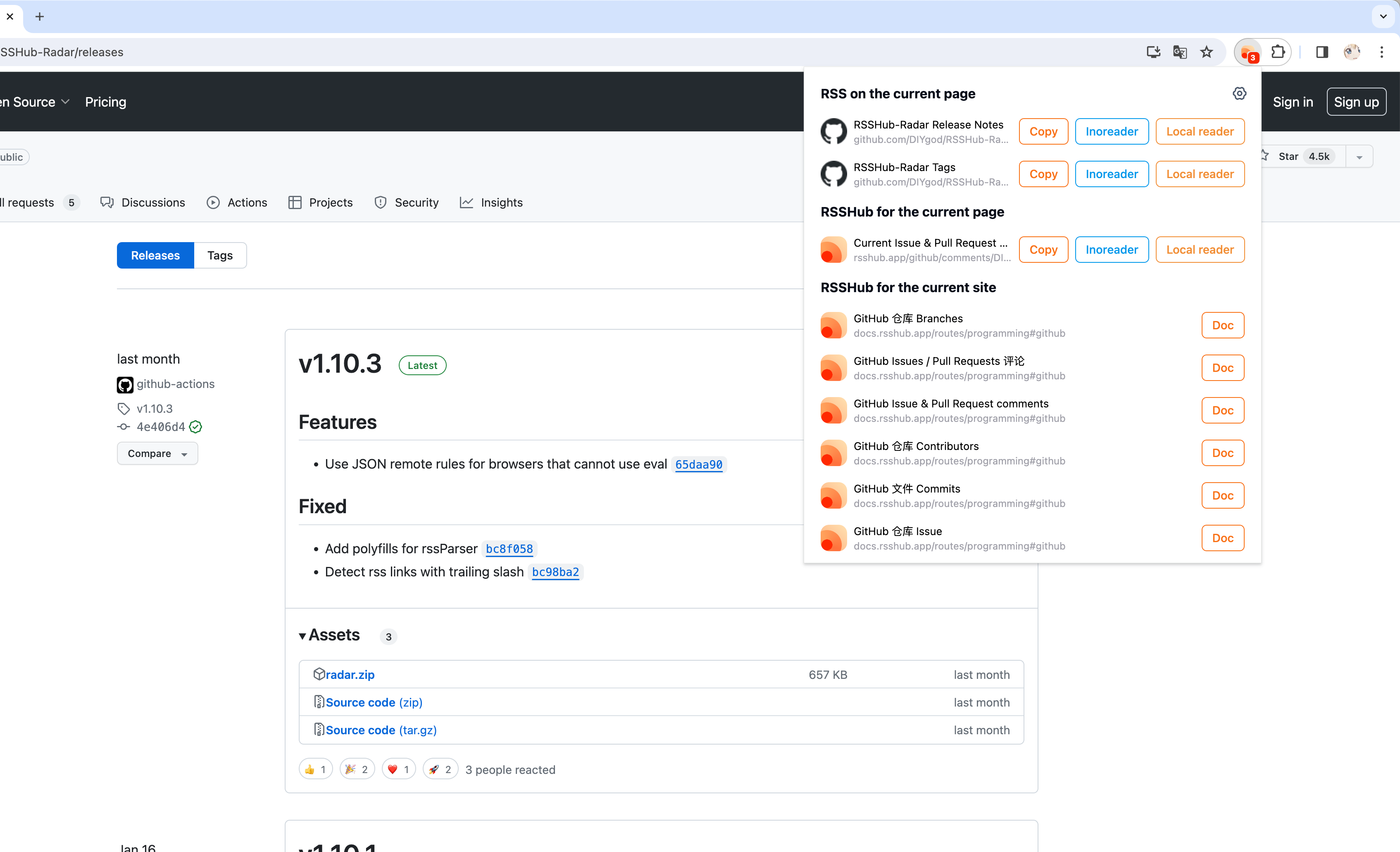
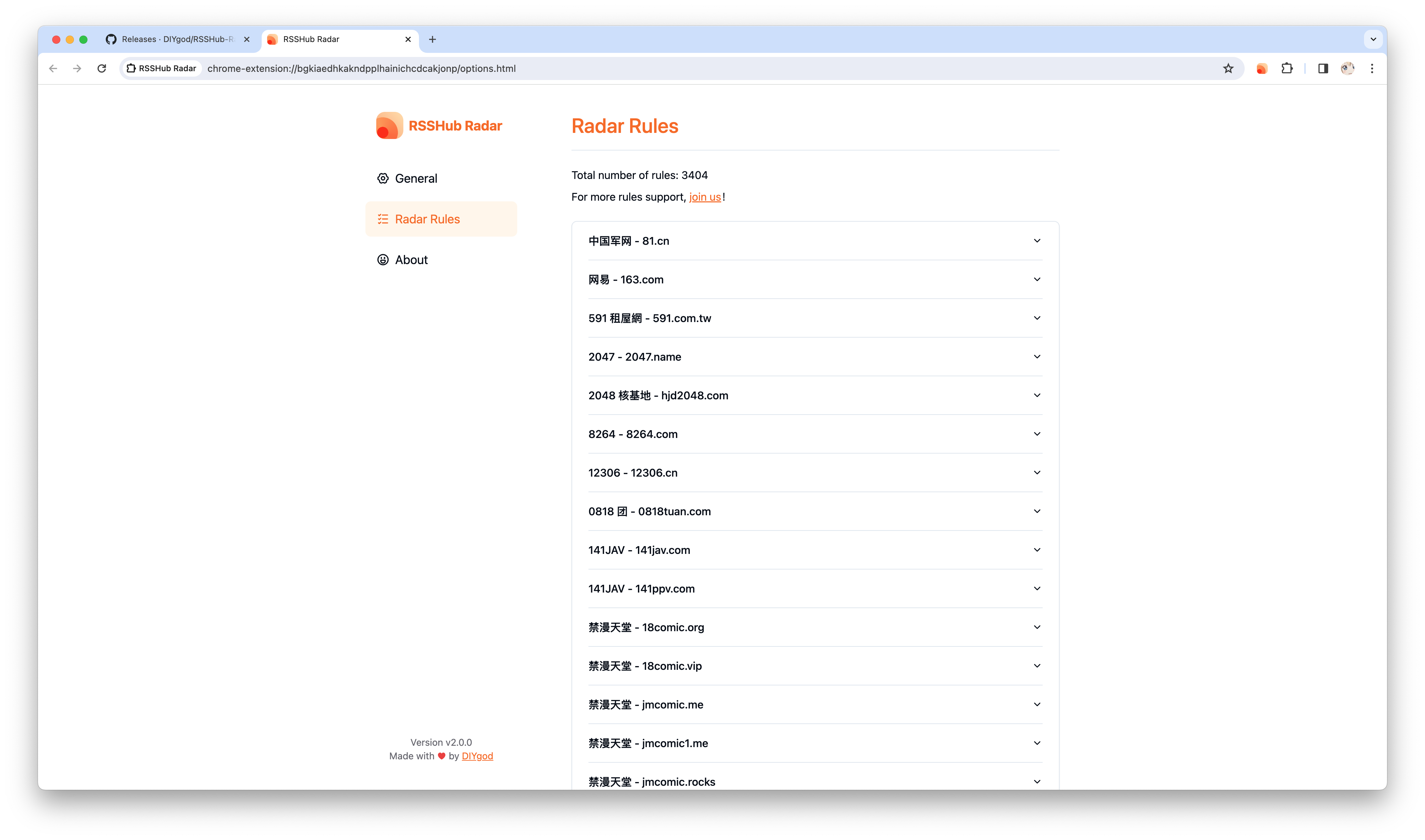
RSSHub Radar is a spin-off project of [RSSHub](https://github.com/DIYgod/RSSHub), a browser extension that simplifies finding and subscribing RSS and RSSHub.
|
|
|
|
- Discover and subscribe to the RSS feeds associated with the current page effortlessly.
|
|
- Explore and subscribe to the RSSHub supported by the current page promptly.
|
|
- Easily identify the RSSHubs supported by the current website quickly.
|
|
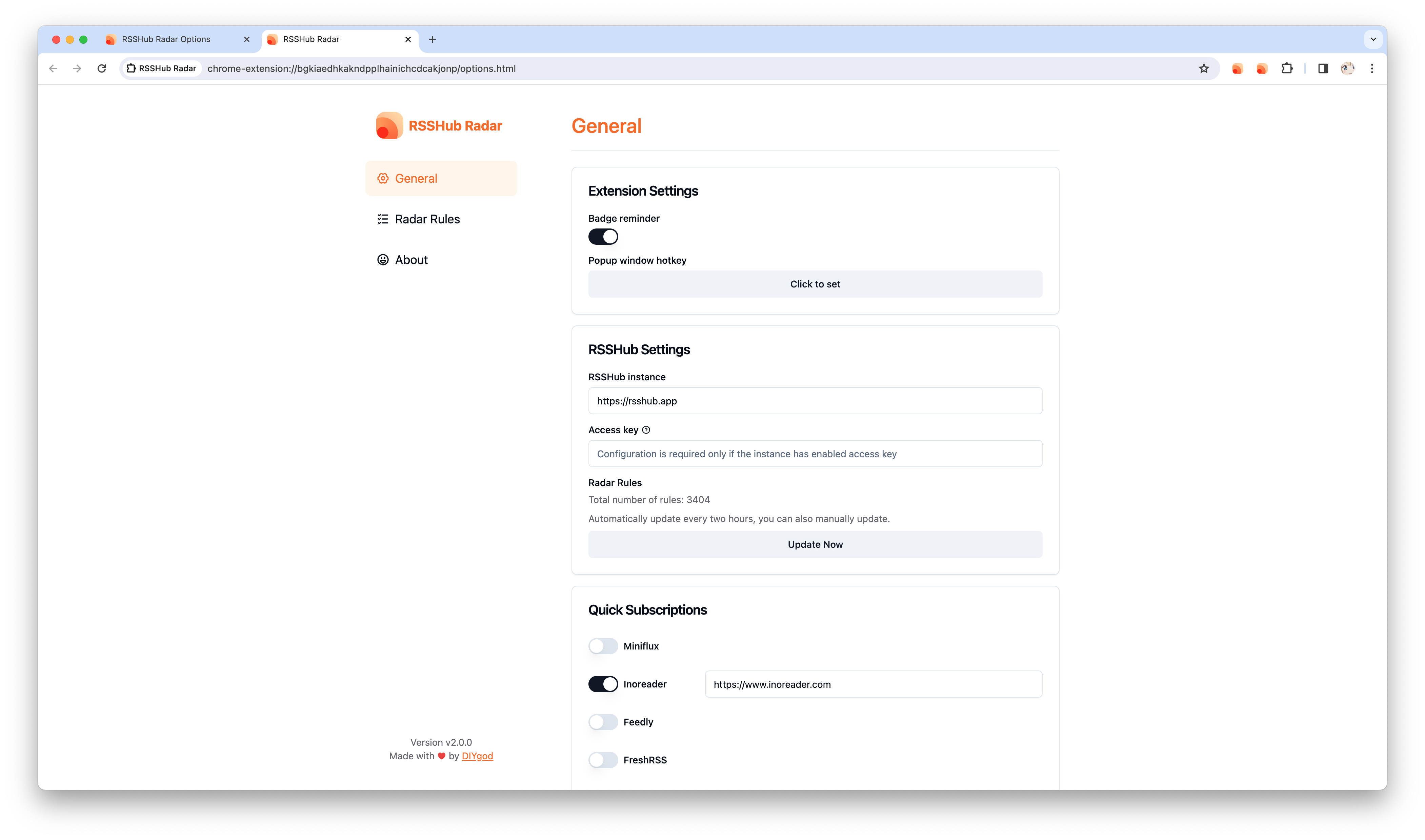
- Supports one-click RSS subscription for various platforms including Tiny Tiny RSS, Miniflux, FreshRSS, Feedly, Inoreader, Feedbin, The Old Reader, Feeds.Pub, Local Reader...
|
|
|
|
|
|
|
|
|
|
|
|
## Install
|
|
|
|
### Webstore
|
|
|
|
<a href="https://chromewebstore.google.com/detail/kefjpfngnndepjbopdmoebkipbgkggaa"><img src="https://raw.githubusercontent.com/alrra/browser-logos/main/src/chrome/chrome_128x128.png" width="48" /></a>
|
|
<a href="https://microsoftedge.microsoft.com/addons/detail/gangkeiaobmjcjokiofpkfpcobpbmnln"><img src="https://raw.githubusercontent.com/alrra/browser-logos/main/src/edge/edge_128x128.png" width="48" /></a>
|
|
<a href="https://addons.mozilla.org/firefox/addon/rsshub-radar/"><img src="https://raw.githubusercontent.com/alrra/browser-logos/main/src/firefox/firefox_128x128.png" width="48" /></a>
|
|
<a href="https://apps.apple.com/us/app/rsshub-radar/id1610744717?l=zh&mt=12"><img src="https://raw.githubusercontent.com/alrra/browser-logos/main/src/safari/safari_128x128.png" width="48" /></a>
|
|
|
|
### Manual installation
|
|
|
|
First download the corresponding version of `chrome-mv3-prod.zip` from the [releases](https://github.com/DIYgod/RSSHub-Radar/releases) page and unzip it
|
|
|
|
**Chrome install extension:**
|
|
|
|
Open `chrome://extensions/`
|
|
|
|
Open the upper right corner `Developer mode`
|
|
|
|
Click `Load unpacked extension` in the upper left corner
|
|
|
|
Select the unzipped extension directory containing `manifest.json`
|
|
|
|
**Firefox install extension:**
|
|
|
|
Open `about:debugging`
|
|
|
|
Click `Load Temporary Extension` in the upper right corner
|
|
|
|
Select the `manifest.json` file in the unzipped extension directory
|
|
|
|
## Join us
|
|
|
|
### Start the Development Server
|
|
|
|
Also refer to: https://wxt.dev/guide/installation
|
|
|
|
```
|
|
pnpm i
|
|
pnpm dev
|
|
```
|
|
|
|
or use npm
|
|
|
|
```
|
|
npm install
|
|
npm run dev
|
|
```
|
|
|
|
Get the `.output/chrome-mv3` directory, the installation method refers to [manual installation](#manual installation)
|
|
|
|
### Submit New RSSHub Radar Rules
|
|
|
|
[See documentation](https://docs.rsshub.app/joinus/new-radar)
|
|
|
|
## Author
|
|
|
|
**RSSHub Radar** © [DIYgod](https://github.com/DIYgod), Released under the [AGPL-3.0](./LICENSE) License.<br>
|
|
Authored and maintained by DIYgod with help from contributors ([list](https://github.com/DIYgod/RSSHub-radar/contributors)).
|
|
|
|
> Blog [@DIYgod](https://diygod.cc) · GitHub [@DIYgod](https://github.com/DIYgod) · Twitter [@DIYgod](https://twitter.com/DIYgod) · Telegram Channel [@awesomeDIYgod](https://t.me/awesomeDIYgod)
|